Meet the Numberblocks
Blue ZooEducational
3.7489.00 Reviews
- Version
- 01.07.00
- Installs
- 5.00M
- Age Rating
- Everyone
Screenshots
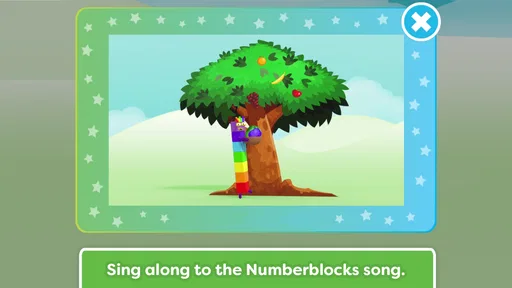

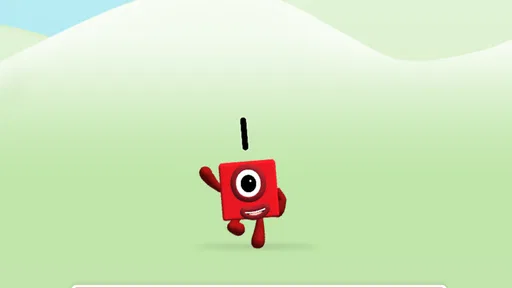
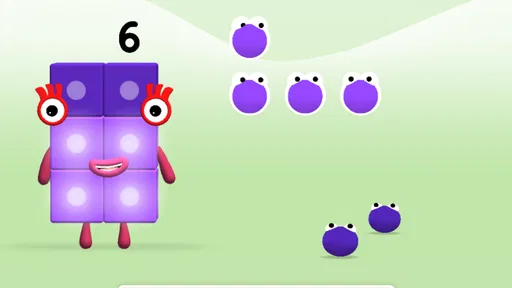
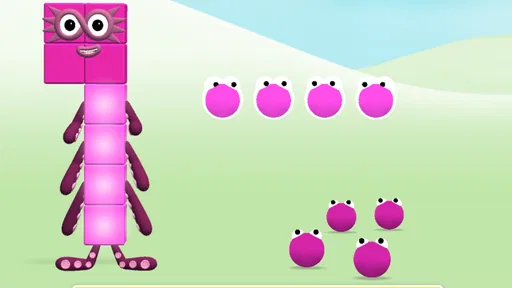
Our Review of Meet the Numberblocks
 Analysis by Appyee
Meet the Numberblocks is a free educational game from Blue Zoo built around a simple idea: children meet the Numberblocks and count the Numberblobs. I found it most appealing as a short, cheerful activity for young learners who are beginning to connect spoken numbers with visible groups of objects. It is not trying to replace a full maths curriculum, and that is important to understand before installing it. Its value comes from making early counting feel like play rather than a worksheet.
The presentation is clearly aimed at children, with familiar animated characters and a bright, friendly tone. In my experience, that makes the first few minutes easy to approach even for a child who normally loses interest in number practice. The game is listed for Everyone, costs nothing to download, and works on devices running Android 8.0 or later. Those details make it a practical option for families looking for an accessible first maths game rather than a complicated learning platform.
How the early goals shape the first play sessions
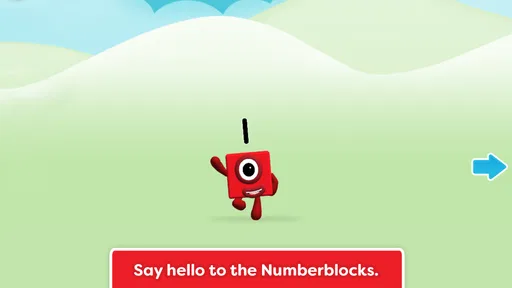
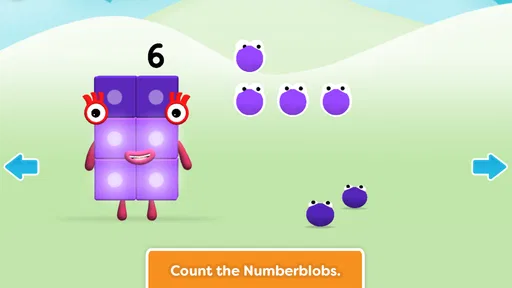
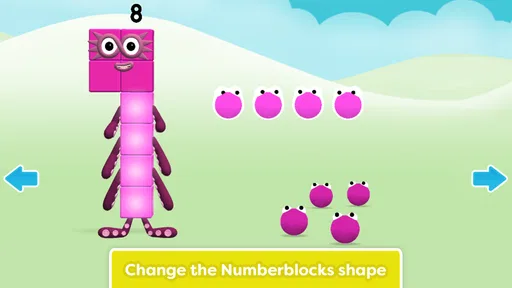
The opening goal is easy to understand: look at the Numberblocks, count the Numberblobs, and respond to what appears on screen. That clarity matters for younger players. A child does not need to read a long explanation or remember a large set of rules before doing something useful. The activity itself points toward the answer, so an adult can often let the child try independently after a brief introduction.
I would describe the early play as guided counting practice rather than an open-ended game. The reward is the act of recognising quantities and making a correct choice, not exploration across a large world. That gives the experience a focused identity. If your child enjoys Numberblocks already, the characters provide an immediate reason to engage. If they do not know the characters, the counting task remains understandable, although the entertainment value may be less personal.
A useful way to use it is to sit beside a child for the first session and ask them to count aloud before touching the screen. This turns a quick tap into a small learning routine. I found that the extra spoken step is more valuable than rushing for a correct response, because it lets you notice whether the child is matching each Numberblob to one number or simply guessing from the visual arrangement.
The game works particularly well in everyday gaps: a few minutes before leaving the house, during a quiet break, or as a change from videos. I would not use it as a long babysitting session. Its central activity is deliberately narrow, so the best results come from short, repeated visits with a little conversation around what the child sees.
What progress feels like when the task is simple
One of the interesting choices here is that progress is communicated through successful participation rather than through a heavy layer of game management. I did not approach it expecting a complex character-building system, a map, or a long chain of missions. The satisfaction comes from recognising the quantity, completing the interaction, and seeing the Numberblocks remain part of the experience.
That can be a strength for preschool learners. There are fewer distractions competing with the learning objective, and a child who is still developing confidence is not forced to manage several kinds of progress at once. The trade-off is that older children may want clearer long-term goals. Once counting feels easy, the game may not provide enough variety on its own to maintain the same level of interest.
Parents should therefore judge progress by the child’s behaviour rather than by expecting a large collection of unlocks. Does the child count more carefully? Do they begin to recognise small groups without touching each item? Can they explain why an answer is correct? Those are stronger signs of learning than simply spending more time in the game. The most useful progress signal is improved counting confidence, not screen time.
I also recommend changing the adult’s role as the child becomes comfortable. At first, model slow counting and point to each object. Later, ask the child to predict the answer before counting. Eventually, let them explain the result to you. This makes the same basic activity more demanding without pretending that the game contains a deeper progression system than it actually does.
Difficulty, repetition, and the pace of learning
The difficulty curve is gentle, which is appropriate for the audience. The game’s central challenge is not reflex speed or complicated problem solving; it is accurate quantity recognition. That means children can focus on one foundational skill at a time. I see this as a better fit for a first maths game than sudden timed pressure, especially for children who become frustrated when mistakes are made public or when the screen moves too quickly.
At the same time, gentle difficulty can become predictable. A child who already counts confidently may finish the meaningful challenge quickly and then look for something more varied. This is where the game’s pacing becomes a personal question. For a beginner, repetition supports learning. For a child who has moved beyond basic counting, repetition can feel like a ceiling.
There is a practical way to handle that limitation. Instead of asking the game to provide every level of maths development, use it as the first step in a wider activity. After a round, place a similar number of small objects on a table and ask the child to make the same quantity. Or show two groups and ask which has more. The app supplies a friendly prompt; the adult supplies the flexible follow-up that a focused game cannot always provide.
I would also avoid correcting too quickly. If a child chooses an incorrect answer, ask them to count again and move more slowly. That keeps the challenge connected to a method rather than to trial and error. Because the activity is simple, the adult can see the child’s counting habits clearly: skipped objects, double-counted objects, or a tendency to answer from the visual shape alone.
Compared with a general children’s game collection, this focused approach feels calmer and more purposeful. Compared with a dedicated maths curriculum app, it is lighter and less comprehensive. A broader learning app may offer reading, numeracy, progress reports, and several skill areas in one place, while this game is easier to open for one specific counting activity. Neither approach is automatically better. The right choice depends on whether you want a friendly counting moment or a structured learning program.
Where retention comes from—and where it may weaken
The main reason a child may return is familiarity. The Numberblocks give the counting task a recognisable identity, and the Numberblobs make the activity feel like something to interact with rather than a plain quiz. For children who enjoy the characters, that emotional connection can be enough to encourage repeated practice.
However, I would not describe the retention as being driven by a deep progression loop. The appeal is more immediate: see the characters, count the objects, and try again. That is a healthy form of repetition for early learning, but it may not hold a child who needs collecting, building, story development, or increasingly complex puzzles. Parents should be cautious about expecting the game to create a long-term habit without any support from a routine or an adult.
This is also why the free price is useful but not the whole decision. Free access lowers the barrier to trying it, yet it does not guarantee that the game will remain interesting for every child. I would install it when I wanted a low-risk introduction to Numberblocks-based counting, then watch how the child uses it over several short sessions. If the child begins tapping randomly or asking for a different activity, that is a sign to move on rather than push the same exercise.
The public response suggests that the game has reached a substantial audience: it has more than five million installs, with an average rating of 3.8 from roughly ten thousand ratings. I treat that as useful context rather than a substitute for personal fit. A child’s age, familiarity with the characters, and current counting ability will matter more than the overall score. The game has also accumulated hundreds of written reviews, which reflects ongoing attention from families, but popularity does not remove the need to check whether the pace suits your child.
Everyday use cases that make the game worthwhile
Imagine a child waiting while a parent finishes preparing dinner. Instead of handing over a general video, the parent opens the game and asks the child to count each group aloud. After a few rounds, the parent pauses and asks, “How did you know?” That small question turns passive tapping into a conversation about quantity. When dinner is ready, the session ends naturally, without needing to complete a long level or reach an artificial stopping point.
Another good use is a gentle confidence builder after a difficult day at school. A child who is not ready for written number work may still be willing to count familiar animated objects. The low-pressure format can help them practise without feeling that they are being tested. I would keep the session brief and celebrate careful counting rather than speed.
It can also support a transition from visual counting to real-world counting. After using the game, ask the child to count cups, toys, steps, or pieces of fruit. This is one of the less obvious strengths of a simple app: because the task is so clear, it gives you an easy prompt for extending learning away from the screen.
For travel, the game may be convenient when you need a compact activity and the device meets the Android requirement. Still, I would not rely on it as the only travel entertainment. Its narrow focus is helpful for a short educational break, but children may tire of the same type of interaction during a long journey.
Who should choose it, and who should skip it
I would recommend it to families with young children who are starting to count, especially when those children already respond positively to the Numberblocks world. It is also suitable for adults who want a free, uncomplicated introduction to learning through play. The Everyone rating makes it broadly approachable, while the simple central task means a child can begin without mastering a complicated interface.
I would be more hesitant for children who already handle basic counting comfortably and need addition, subtraction, comparison, patterns, or word problems. A more advanced educational app, physical manipulatives, or guided activities with a parent or teacher would probably offer better development at that stage. I would also skip it if your priority is a rich adventure game with a strong story and extensive unlocks. This is a focused counting tool, not a large entertainment package.
Adults looking for detailed performance tracking may prefer a structured educational service designed around reports and planned lessons. This game is better when you are comfortable observing the child yourself and turning each session into a small conversation. Its simplicity reduces friction, but it also means the parent has to supply some of the interpretation.
Practical details before installing
Blue Zoo released the game on May 23, 2019, and the current version is 01.07.00. It is free and intended for Android devices using version 8.0 or newer. I would check the device’s operating system before planning to use it, particularly on an older tablet kept for children. A compatible device is important because a simple educational game loses much of its convenience if the child cannot open it when needed.
Since the game is aimed at Everyone, it fits households that want age-appropriate counting practice without choosing an older-child title. I would still sit with a young child occasionally, not because the activity is difficult to operate, but because the learning benefit depends on how the child counts. The screen can show whether an answer is accepted; it cannot replace an adult noticing whether the child understands the quantity.
My practical setup would be a short routine rather than unrestricted access. Choose a time, let the child complete a small amount, then connect the result to objects in the room. This approach also solves the main pacing issue: the game does not need to carry an entire afternoon when its best role is a focused, repeatable exercise.
My verdict on the progression and staying power
Meet the Numberblocks succeeds because it keeps the early goal visible. Children count Numberblobs with the Numberblocks as friendly guides, and the experience avoids burying that purpose under complicated systems. The progress is easy to recognise when a child becomes more accurate or more willing to count aloud. For a beginner, that is enough to make repeated practice feel worthwhile.
Its limitations are equally clear. The difficulty remains gentle, the activity is narrow, and the long-term reason to return depends heavily on the child’s interest in the characters and the adult’s ability to extend the learning. I would not present it as a complete maths solution or as a game with a deep unlock-driven progression. It is better understood as a small, approachable tool for building early counting confidence.
For the right child, I think that focus is a genuine advantage. The free entry point, Everyone rating, recognisable characters, and straightforward activity make it easy to try without committing to a large learning platform. My recommendation is to use it in short sessions, ask the child to explain their counting, and move toward real objects when the on-screen task becomes familiar. If you want a gentle first step into number practice rather than an all-purpose educational game, this is a sensible choice.
Privacy and Permissions
See what permissions an app requests and how it handles your data.
- Other
- view network connections, full network access, prevent device from sleeping
Verdict
Strengths of Meet the Numberblocks
- Fun number-learning activities designed for preschool children.
- Uses familiar Numberblocks characters to keep young learners engaged.
- Supports early counting, number recognition, and simple math skills.
- Bright visuals and playful animations make lessons easy to follow.
- Child-friendly interface is simple for young users to navigate.
Limitations of Meet the Numberblocks
- Some activities may feel too easy for children who already know basic numbers.
- The app may offer limited value beyond the early preschool age range.
- Repeated animations and songs can become tiring for frequent users.
- Parents may want more detailed progress reports and learning feedback.
- Some content or features may require in-app purchases or subscriptions.
Other Releases by Blue Zoo
View All
Numberblocks World
Educational3.6

Alphablocks World
Educational3.4

Numberblocks: Hide and Seek
Educational3.4

Numberblocks: Card Fun!
Educational2.9
Similar Picks in This Category
View All
Little Panda Policeman
BabyBus4.0

Monster Trucks Game for Kids 2
Raz Games4.1

Little Panda's Chinese Recipes
BabyBus4.4

Little Panda's Restaurant
BabyBus4.4

Little Panda's Ice Cream Games
BabyBus4.3

Baby Panda Care
BabyBus3.8
Frequently Asked Questions
What is Meet the Numberblocks?
Meet the Numberblocks is an educational app based on the popular children’s animated series. It introduces young learners to numbers through interactive activities, familiar characters, songs, puzzles, and simple games. The app is designed to make early mathematics more enjoyable while helping children recognize numbers, count, compare quantities, and become comfortable with basic numerical ideas through playful exploration.
What age group is Meet the Numberblocks suitable for?
The app is mainly aimed at preschool and early-primary children, particularly those who are beginning to learn counting and number recognition. Younger children may need help navigating some activities, while older preschoolers can often explore independently. Parents should still check the current store description and device requirements, as the recommended age range and available content may vary by version or region.
Does Meet the Numberblocks require an internet connection?
Some parts of Meet the Numberblocks may work after installation without a continuous internet connection, which is useful for travel or offline play. However, an internet connection may be needed for the initial download, updates, restoring purchases, or accessing certain content. Before relying on offline use, open the app once while connected and confirm that the activities you want are available.
Is Meet the Numberblocks free to download?
Meet the Numberblocks may be available as a free download, but the exact pricing model depends on the platform, country, and current release. Some versions can include optional purchases, premium activities, or paid content. Parents should review the Google Play or App Store listing carefully, check in-app purchase information, and use device-level parental controls before allowing children to play.
Is Meet the Numberblocks safe and suitable for children?
The app is created for young children and focuses on educational number-based play rather than competitive or inappropriate content. Nevertheless, parents should review its privacy details, advertising policy, permissions, and purchase settings before installation. It is also wise to play through the first activities, adjust device restrictions, and supervise younger children so the experience matches the family’s expectations.
Play our best games!


